
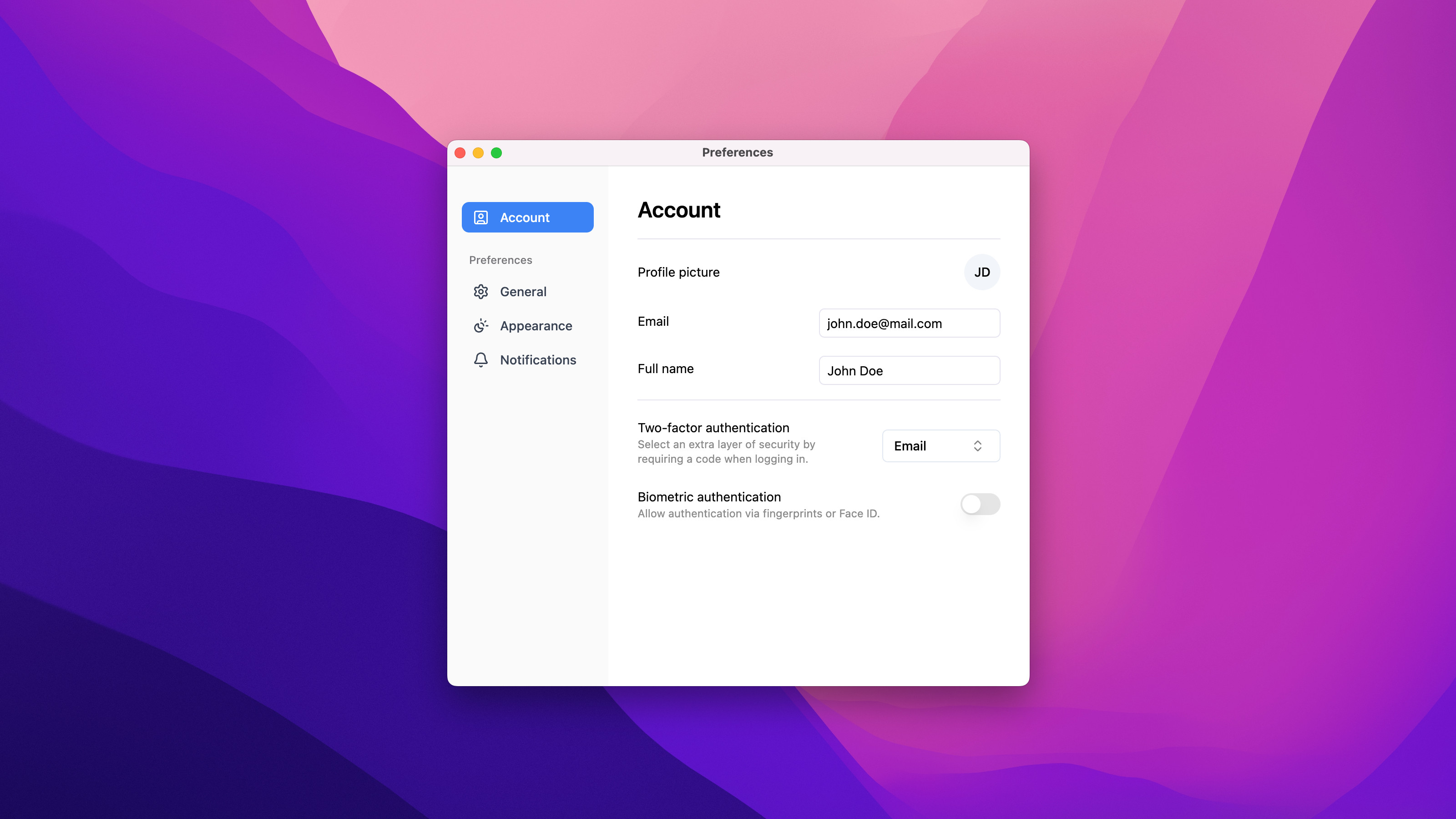
Many desktop applications today rely on web-based interfaces. This approach combines the flexibility of web technologies with the performance and integration of native applications.
Our Java desktop app follows this modern trend. It features a web-based interface built with Vue.js and Tailwind CSS, offering a sleek, responsive, and consistent user experience across platforms.
Web UI vs. Native UI
Traditional native UI toolkits for desktop applications have long lagged behind modern UI demands — they often required extensive work to look and feel polished, handle animations, adapt to high-DPI screens, or support applying visual themes similar to how it’s done in web applications (light/dark mode, colors, etc.).
Web-based UIs, on the other hand, benefited from a vast ecosystem of ready-to-use libraries, component frameworks, responsive design, and cross-platform consistency across operating systems and form factors.
By embedding a web UI inside a desktop shell, we combined modern web-style interfaces with the capabilities of a native application. Web applications alone cannot fully match desktop apps because they have limited access to the file system, operating-system APIs, and offline functionality. But by running the web UI inside a native wrapper, we close this gap and get the best of both worlds.
Overview of the application
The application is a cross-platform Java desktop app that integrates a modern Vue.js web interface within a native Java window. It provides users with a clean, minimal design and intuitive controls built using Shadcn components.
This architecture ensures:
- Consistent visuals on Windows, macOS, and Linux.
- Smooth interactions and transitions typical for web apps.
- Offline availability by packaging all necessary data and assets directly inside the application, so it can run without an internet connection.
Upon launch, the app displays a main dashboard and a preferences dialog that allows users to adjust settings such as interface theme, font size, and layout preferences. All settings are stored on the local file system and automatically restored on the next launch.
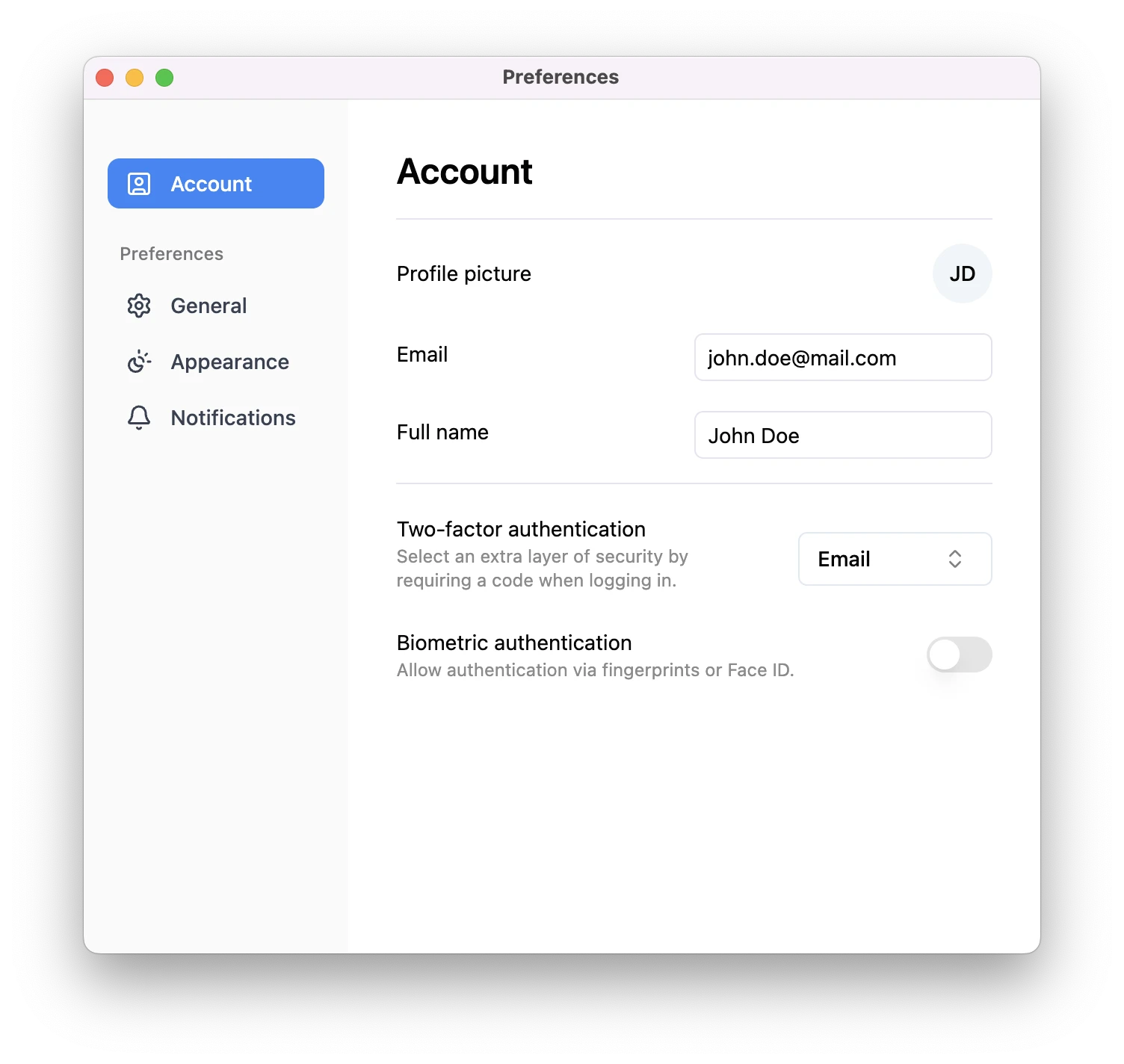
The desktop app with UI implemented with Vue.js.
The full source code is available on GitHub.
App window and web view
The main window is created using Java Swing’s JFrame, as it is built into Java
and simple to use. Inside it, we embedded a Chromium-based web view component
provided by JxBrowser. This component renders the Vue.js interface directly
within the desktop window, providing full modern browser capabilities.
var engine = Engine.newInstance(HARDWARE_ACCELERATED);
var browser = engine.newBrowser();

SwingUtilities.invokeLater(() -> {
    var view = BrowserView.newInstance(browser);
    var frame = new JFrame("Application");
    frame.addWindowListener(new WindowAdapter() {
        @Override
        public void windowClosing(WindowEvent e) {
            engine.close();
        }
    });
    frame.setDefaultCloseOperation(WindowConstants.DISPOSE_ON_CLOSE);
    frame.add(view, BorderLayout.CENTER);
    frame.setSize(1280, 900);
    frame.setLocationRelativeTo(null);
    frame.setVisible(true);
});
This setup allows the Java backend to remain responsible for core logic (reading and saving data, file operations, etc.), while the Vue.js frontend handles layout and interaction.
Loading the web UI in the desktop app
The Vue.js part of the application is a standard web project. Depending on the environment, the app loads it either from a local dev server or from embedded static files.
Development environment
Loading the web app in the development environment is pretty straightforward. We start a local dev server and navigate to localhost:
./gradlew desktop-web-app:startDevServer -Pfrontend=vue
if (!AppDetails.isProduction()) {
   browser.navigation().loadUrl("http://localhost");
} else {
   ...
}
When an app is launched, the embedded web view navigates to the local address, allowing changes in Vue components or styles to appear instantly without rebuilding the Java part.
Production environment
In production, the desktop app works entirely offline. Relying on a local web server was not ideal — it added complexity, and potential security risks.
Serving the UI from a local or remote server adds extra security risks; users might load the web app URL in their browser and inspect the source code of the app, exposing sensitive logic. We certainly don’t want this, we want our UI to be accessible only within our desktop app, and its source code to be hidden inside.
To achieve this, we add the web app files to the resources and serve them from the classpath using JxBrowser’s scheme intercepting API.
To allow the request interceptor to handle web resource requests, we assign it to a custom protocol:
var options = EngineOptions.newBuilder(HARDWARE_ACCELERATED)
        .addScheme(Scheme.of("jxb"), new UrlRequestInterceptor());
var engine = Engine.newInstance(options.build());
The Vue.js application is bundled directly into the Java resources, and JxBrowser is used to load it. This made the UI part completely self-contained:
- All HTML, CSS, and JavaScript files are served from within the application JAR.
- No external server is required.
- And the source code is protected from inspection in browsers.
This approach guarantees a fast, secure, and portable desktop app that behaves consistently on Windows, macOS, and Linux.
Communication between Vue.js and Java
To enable application logic, the Vue.js frontend communicates with the Java backend — for example, to read or update preferences stored on disk.
JxBrowser JavaScript - Java bridge
JxBrowser provides a bridge between JavaScript and Java, enabling the web UI to call Java methods directly. Vue.js invokes these backend methods (e.g., “save theme settings”), while the Java side sends events or data updates back to the frontend.
Here’s how you declare types for communication between JavaScript and Java in JxBrowser:
@JsAccessible
class PrefsService {
    void setFontSize(int size) {

    }
}
declare class PrefsService {
    setFontSize(size: number): void;
}

declare const prefService: PrefsService;
...
prefsService.setFontSize(12);
Protobuf + gRPC
For simple interactions, the application continues to use the existing REST endpoints. For more complex and scalable features, we introduced Protocol Buffers (Protobuf) and gRPC to provide a faster and type-safe communication layer between Vue.js and Java.
Using Protobuf, we defined data structures and service APIs once, and
automatically generated strongly typed client and server code for both sides. We
define our messages and services in a .proto file, and Protobuf generates Java
and TypeScript code for us.
service PrefsService {
  rpc SetFontSize(FontSize) returns (google.protobuf.Empty);
}

enum FontSize {
  SMALL = 0;
  DEFAULT = 1;
  LARGE = 2;
}
gRPC acts as the transport layer — the Java backend runs a lightweight gRPC server, and the Vue.js app communicates with it as a client, sending and receiving structured data securely and efficiently.
This provided:
- Type safety across both sides of the app.
- Auto-completion and error checking during build.
- Easier scaling when more features or APIs are added.
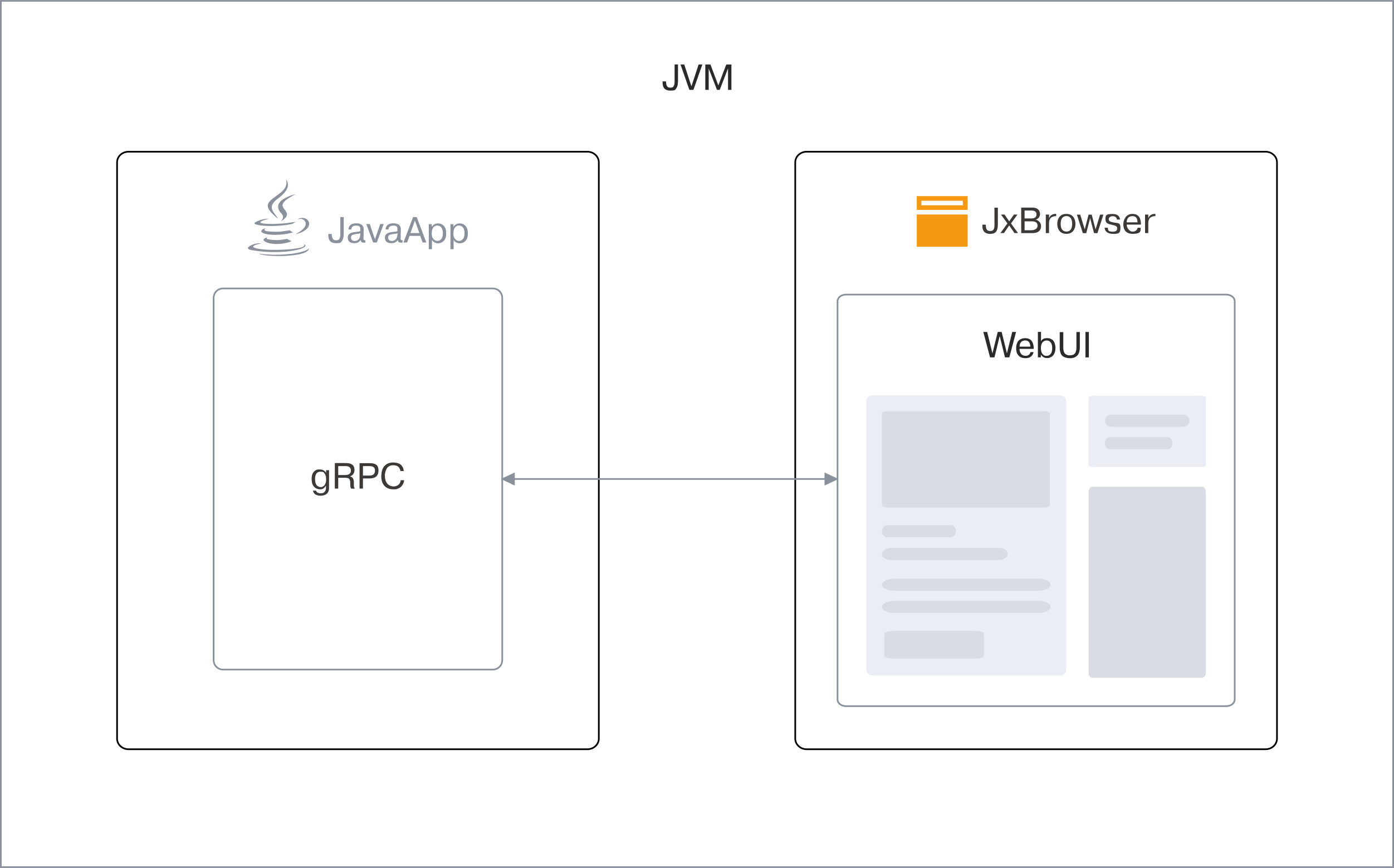
Communication diagram.
Conclusion
Building desktop apps with web UIs has proven to be a powerful, modern approach. It delivers the familiarity and reach of web technologies while providing the capabilities and performance expected from a native desktop application.
A Java desktop app using a Vue.js frontend, Tailwind CSS for styling was created. The solution was built to:
- Embed a Chromium-based web view into a Java window.
- Load Vue resources seamlessly in both development and production.
- Enable communication between the web UI and Java backend using gRPC and Protobuf.
This hybrid setup combines Java with a Vue.js frontend, allowing standard web tooling to be used within a desktop environment and enabling the application to run as a self-contained package.

Sending…
Sorry, the sending was interrupted
Please try again. If the issue persists, contact us at info@teamdev.com.
Your personal JxBrowser trial key and quick start guide will arrive in your Email Inbox in a few minutes.