

Taking a screenshot of a web page sounds like a one-call job. In practice, it usually turns into a discussion about browser size, rendering delays, dynamic content, fixed headers, and memory use.
I ran into this while capturing a long Reddit page. The first version used
browser.bitmap() and saved the result. That worked, but only for the visible
part of the page. The rest of the work was about turning that simple capture
into something useful for long, dynamic pages.
In this article, we will go from a minimal JxBrowser screenshot to a segmented full-page capture. We will use Reddit as a test page because it gives us a realistic mix of lazy loading, sticky elements, and cookie UI.
Simple screenshot
Let us start with the smallest useful version. JxBrowser can return a Bitmap
with the current contents of the browser:
Before taking the screenshot, assume that the browser has already loaded the page and has a non-empty size.
var bitmap = browser.bitmap();
var image = BitmapImage.toToolkit(bitmap);
ImageIO.write(image, "PNG", new File("screenshot.png"));
The BitmapImage.toToolkit() call converts the JxBrowser bitmap to a standard
BufferedImage, which can then be saved with ImageIO.
The result looks like this:
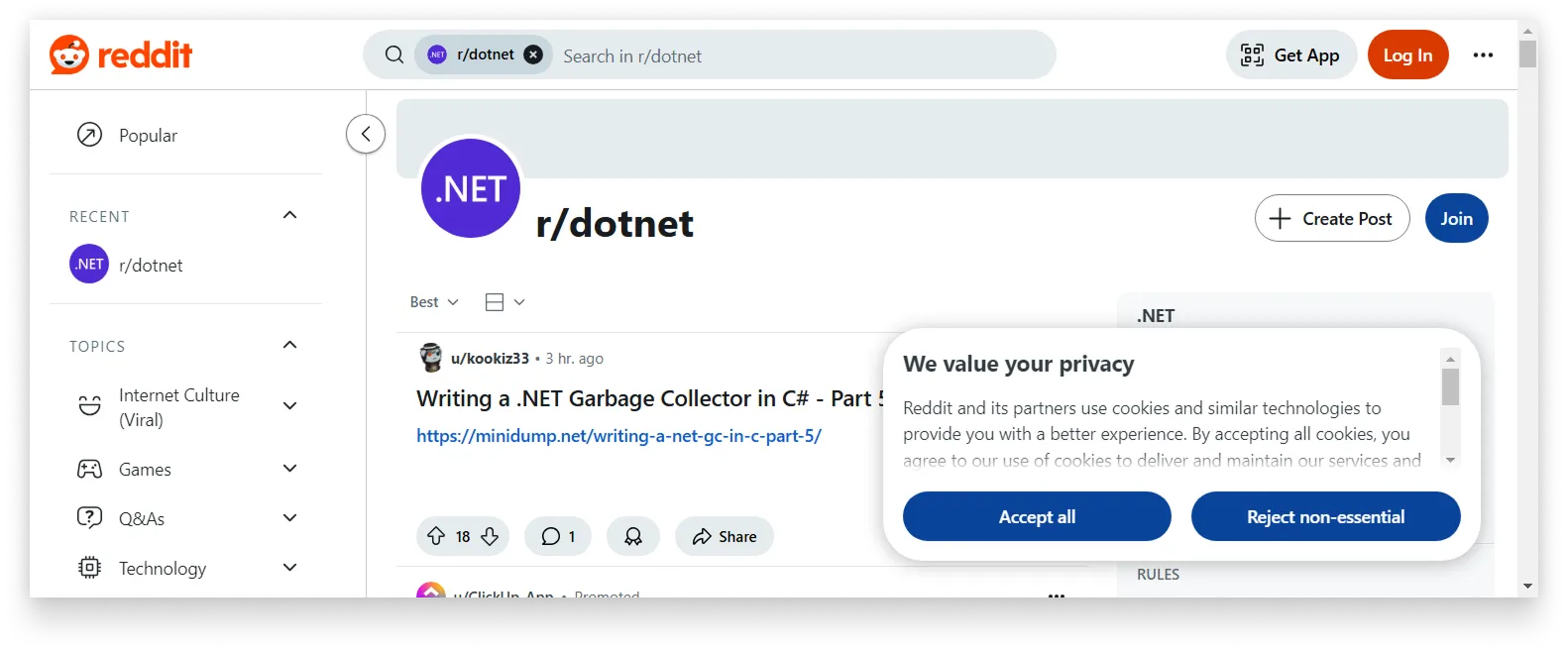
A screenshot made with a simple bitmap capture.
The result is correct, but incomplete. The screenshot contains only the part of the page visible inside the current browser viewport.
That happens because browser.bitmap() captures the browser as it is sized at
that moment. If the browser is 1024 by 768 logical pixels, the captured area
corresponds to that viewport, not to the full scrollable document. On high-DPI
displays, the saved bitmap may contain more physical pixels because JxBrowser
also accounts for the display scale factor.
Whole page
A natural next step is to resize the browser to the full document size before
taking the bitmap. First, we can ask the page for its scrollable width and
height. For many pages, scrollWidth and scrollHeight are enough:
var widthScript = """
        Math.max(
            document.body.scrollWidth,
            document.documentElement.scrollWidth)
        """;

var heightScript = """
        Math.max(
            document.body.scrollHeight,
            document.documentElement.scrollHeight)
        """;
After navigation has completed, get the main frame, measure the document, resize the browser, and take another bitmap:
var frame = browser.mainFrame().orElseThrow();
Double pageWidth = frame.executeJavaScript(widthScript);
Double pageHeight = frame.executeJavaScript(heightScript);

browser.resize(pageWidth.intValue(), pageHeight.intValue());
var bitmap = browser.bitmap();
This gives us a much taller screenshot:
The viewport is bigger, but the page is still rendering. See full image
The size is better, but the content is not ready yet. The browser resized correctly, but the page still needs time to load and render the content that became visible after the resize.
For a quick experiment, an explicit pause is enough:
browser.resize(pageWidth.intValue(), pageHeight.intValue());

// An arbitrary value found by trial and error.
Thread.sleep(2000);

var bitmap = browser.bitmap();
Now the page has time to render:
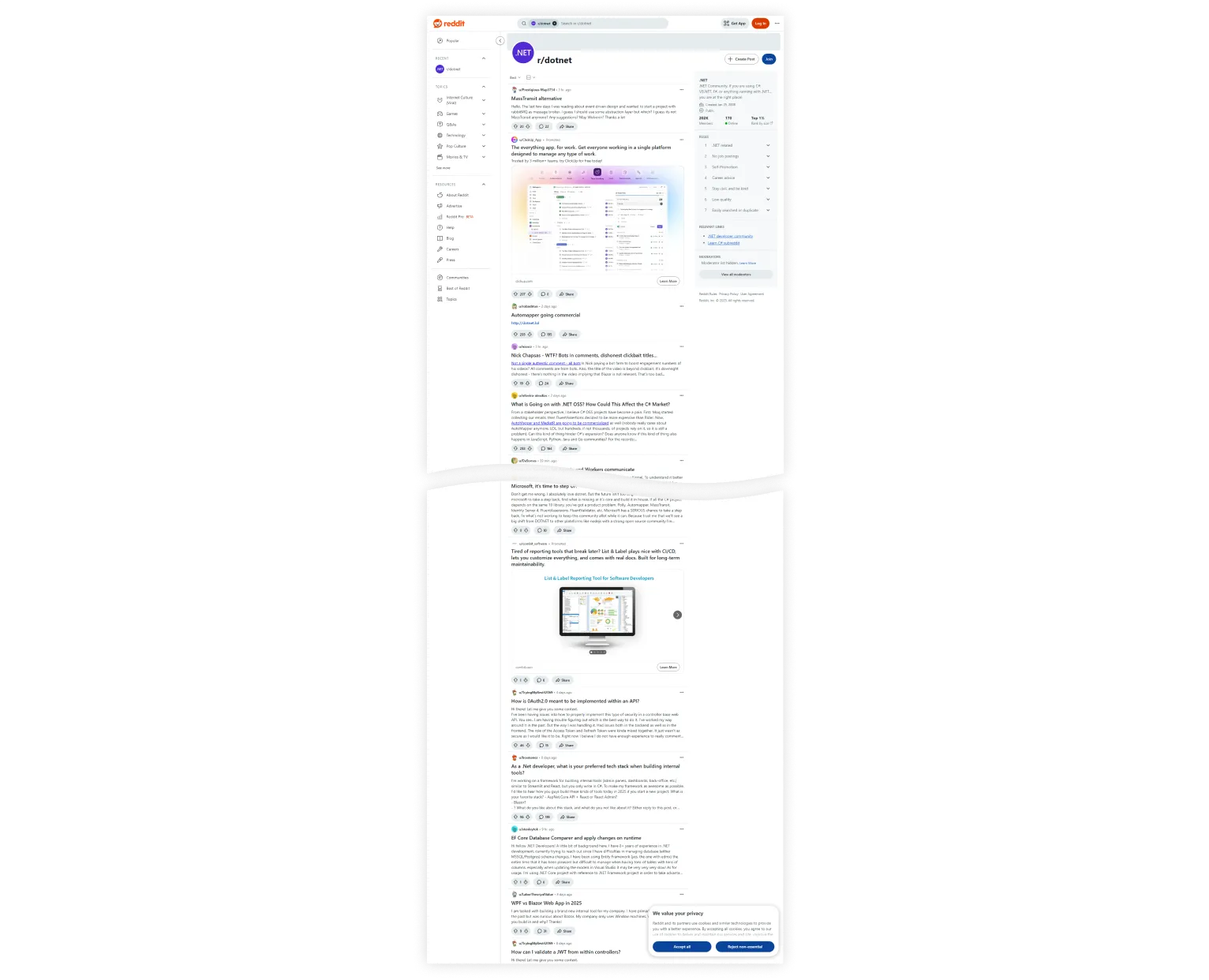
A full-height screenshot after waiting for the page to render. See full image
This version is useful for moderate pages, but it has a practical limit. A very tall browser requires Chromium to render a very tall viewport, and the resulting bitmap has to fit in Java process memory. For long pages, the bitmap grows with the page height, so this approach can consume a lot of memory before the image is even saved.
Segmented capture
Instead of rendering the whole page at once, we can capture it in slices:
- Set a fixed viewport height.
- Scroll to the next segment.
- Save each bitmap as a separate image.
- Merge the saved images afterward.
Because Reddit can keep loading more content as we scroll, we also need a stopping point. In this example, we simply capture a fixed number of segments:
var shotCount = 15;
var viewportHeight = 1000;

browser.resize(pageWidth.intValue(), viewportHeight);

for (var count = 0; count < shotCount; count++) {
    var scrollY = count * viewportHeight;
    frame.executeJavaScript("window.scrollTo(0, %d)".formatted(scrollY));

    // An arbitrary pause to wait for dynamic content.
    Thread.sleep(500);

    var bitmap = browser.bitmap();
    var image = BitmapImage.toToolkit(bitmap);
    var file = new File("screenshot-%03d.png".formatted(count));
    ImageIO.write(image, "PNG", file);
}
Now merge the saved screenshots into one image:
private static void mergeVertically(Path sourceDir, Path target)
        throws IOException {
    try (var paths = Files.list(sourceDir)) {
        var files = paths
                .filter(path -> path.toString().endsWith(".png"))
                .sorted(Comparator.comparing(Path::getFileName))
                .toList();

        var images = new ArrayList<BufferedImage>();
        for (var file : files) {
            images.add(ImageIO.read(file.toFile()));
        }

        var width = images.stream()
                .mapToInt(BufferedImage::getWidth)
                .max()
                .orElse(0);
        var height = images.stream()
                .mapToInt(BufferedImage::getHeight)
                .sum();

        var merged = new BufferedImage(
                width, height, BufferedImage.TYPE_INT_RGB);
        var graphics = merged.createGraphics();
        try {
            var y = 0;
            for (var image : images) {
                graphics.drawImage(image, 0, y, null);
                y += image.getHeight();
            }
        } finally {
            graphics.dispose();
        }

        ImageIO.write(merged, "PNG", target.toFile());
    }
}
Call it with the directory that contains the segment files:
mergeVertically(Path.of("."), Path.of("merged.png"));
The merged result is close, but still not clean:
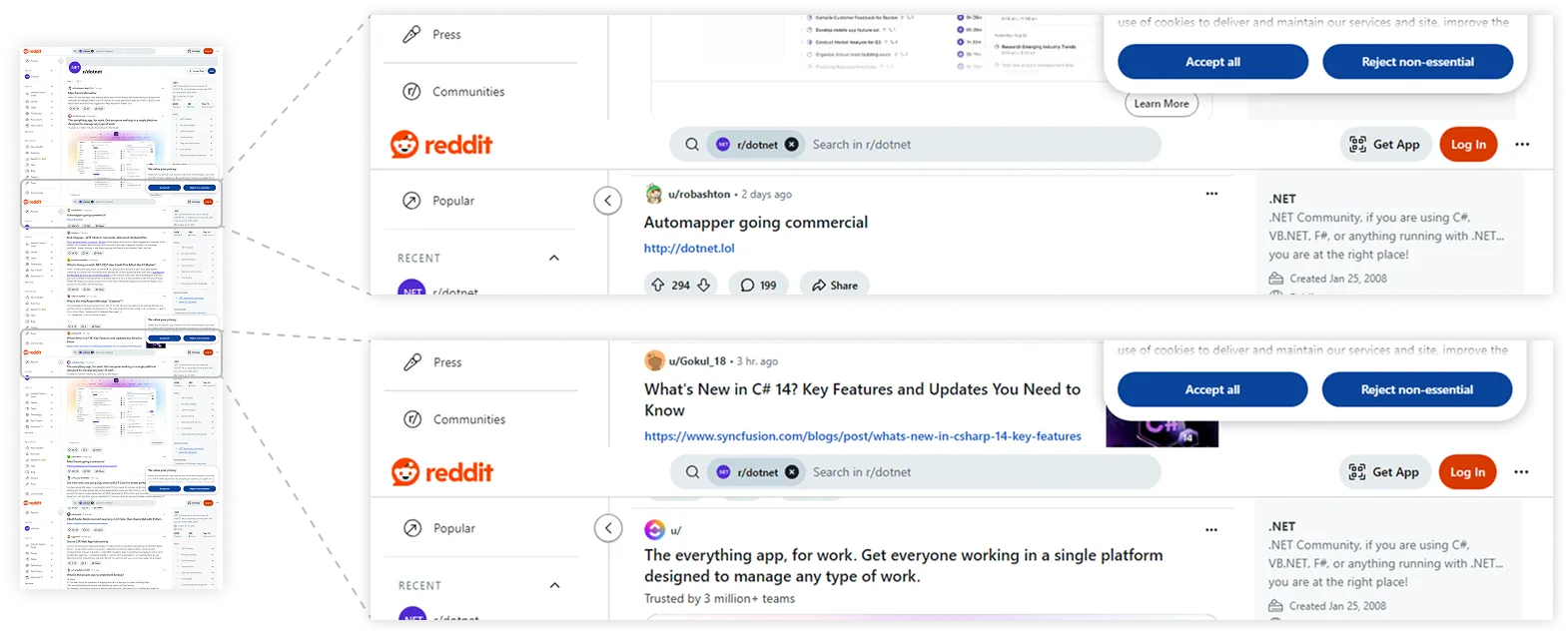
Merged segments with repeated fixed elements. See full image
The repeated header and sidebars are expected. Elements with position: fixed
or position: sticky stay in place while the page scrolls, so they appear in
each segment.
Fixed elements
For a full-page screenshot, fixed elements usually belong only in the first segment. Before capturing the second segment, we can hide those elements with a small JavaScript snippet:
var hideFixedElements = """
        (() => {
            document.querySelectorAll('*').forEach(element => {
                const position = getComputedStyle(element).position;
                if (position === 'fixed' || position === 'sticky') {
                    element.style.display = 'none';
                }
            });
        })()
        """;

for (var count = 0; count < shotCount; count++) {
    if (count == 1) {
        frame.executeJavaScript(hideFixedElements);
    }

    // Scroll, wait, and capture the next segment.
}
Fixed elements are not the only page-specific cleanup issue. Cookie dialogs are
another common one, and each site implements them differently. On Reddit, the
dialog can be hidden by looking for the reddit-cookie-banner element:
var hideCookieBanner = """
        (() => {
            const dialog = document.querySelector('reddit-cookie-banner');
            if (dialog) {
                dialog.style.display = 'none';
            }
        })()
        """;

frame.executeJavaScript(hideCookieBanner);
With fixed elements and the cookie banner handled, the stitched image looks like a proper long screenshot:
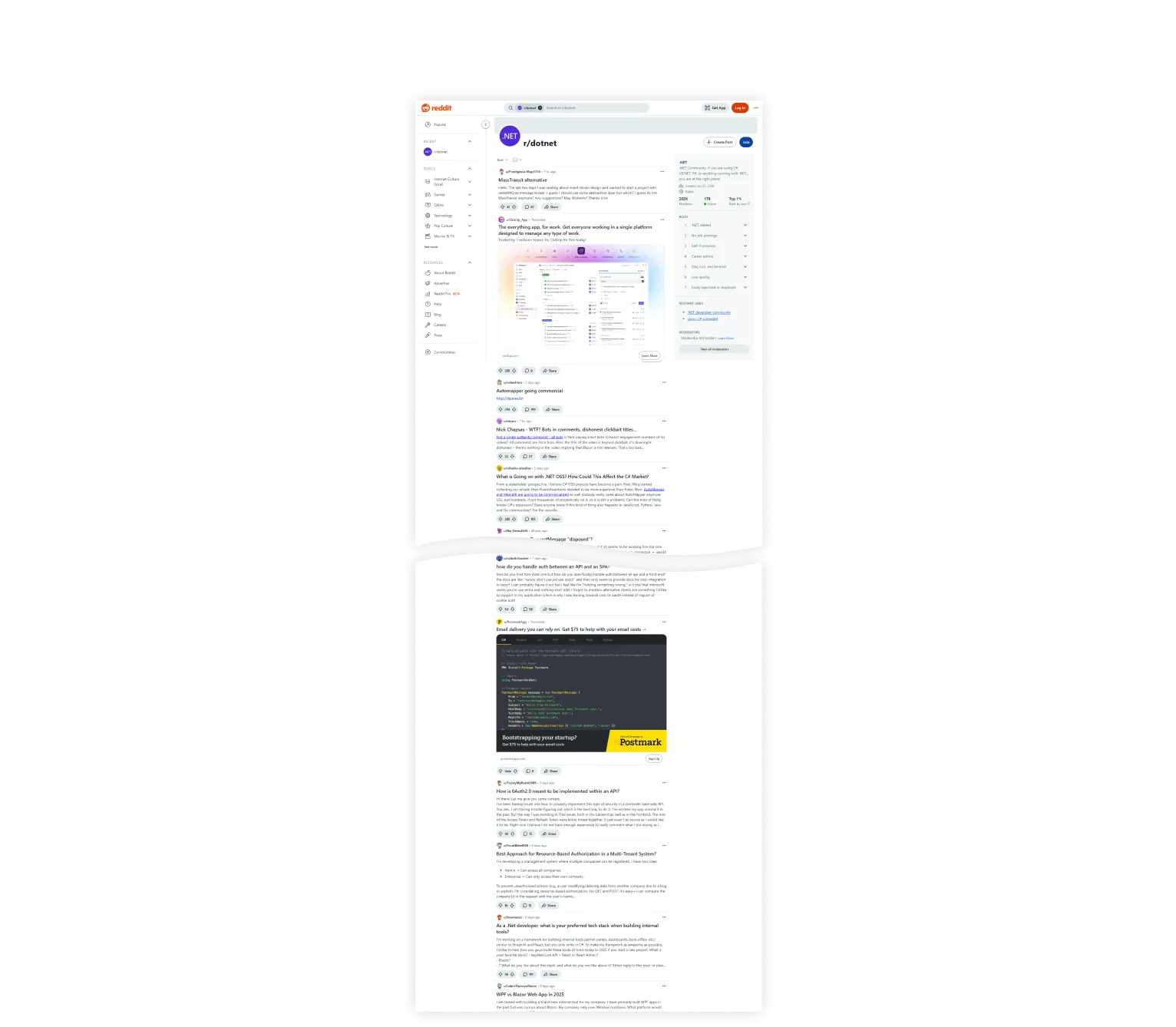
A clean, complete screenshot. See full image
Conclusion
The direct browser.bitmap() call is enough when you need the visible viewport.
For full-page screenshots, the problem becomes more practical than mechanical:
the page must have a useful size, dynamic content needs time to render, and
long documents may need to be captured in smaller pieces.
The segmented approach keeps memory use more manageable and gives you control over page-specific issues such as sticky headers and cookie dialogs. It is not universal, because real pages differ, but it gives you the core pattern for capturing web pages with JxBrowser.

Sending…
Sorry, the sending was interrupted
Please try again. If the issue persists, contact us at info@teamdev.com.
Your personal JxBrowser trial key and quick start guide will arrive in your Email Inbox in a few minutes.