
In this article, I want to answer a frequently asked question: why did we create Electron alternative, and what is wrong with Electron and Tauri? To answer that question, I want to share a short story of how we came up with the idea of MōBrowser and what path we took before that.
For those who are not familiar with it, MōBrowser is a modern framework for building native cross-platform desktop apps using TypeScript and web technologies. It allows web developers to create beautiful and modern desktop applications by using the web stack they already know and love. It is an all-in-one solution that provides everything you need to develop, build, package, and distribute your desktop apps to end users.
To understand why we created it, we need to go back to our roots.
What we know best
So, our department at TeamDev integrates some technologies with others. For example, COM and Java. Based on such integrations, we develop and sell libraries and solutions for companies and teams that build software. In essence, we sell time. Developers at other companies could spend several years building the same solution, but instead they can take our ready-made and proven solution and save a lot of time and money.
We started with Java libraries such as JNIWrapper and ComfyJ. They made it possible to use the Win32 API and COM technologies in Java applications through JNI (dear God, that was hard and painful), to manipulate native windows, call system libraries directly from Java code, and embed Microsoft Office applications directly into Java desktop applications. That was back in 2002. Java was very popular that time.
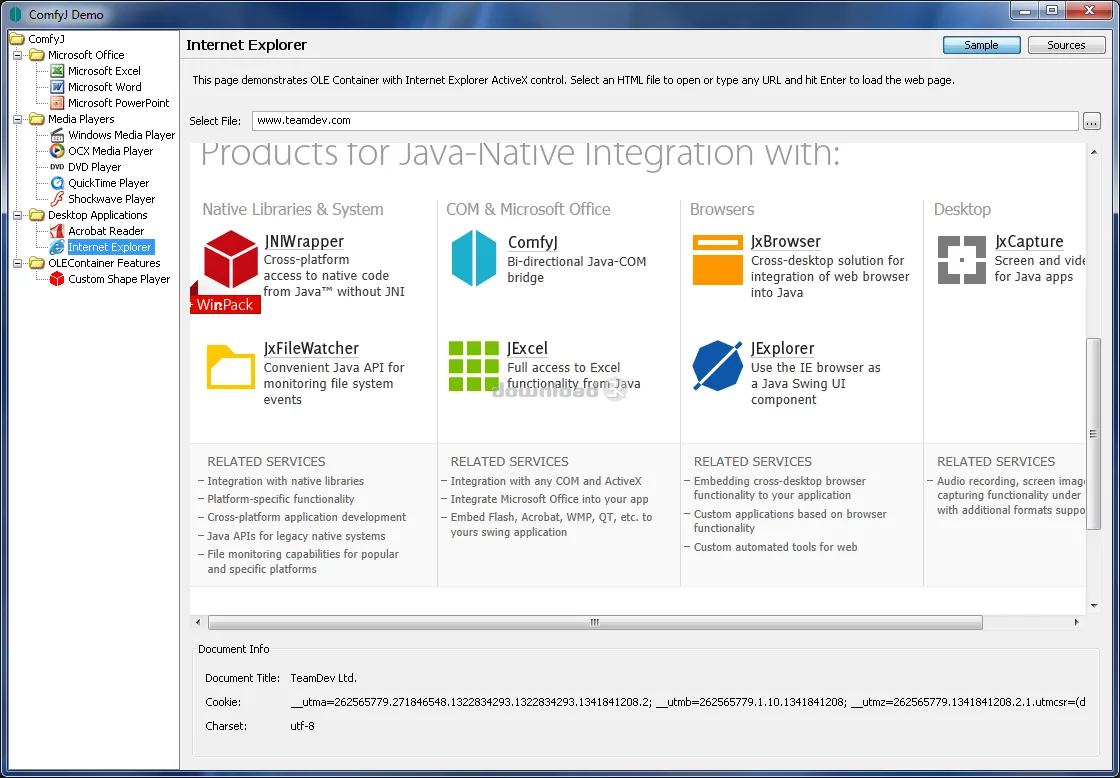
ComfyJ demo demonstrating how to embed and display Microsoft Excel, Word, or MS Internet Explorer in Java AWT/Swing desktop applications.
Our experience with web browsers integration
One of those libraries was JExplorer (no longer supported), which allowed integration with the MS Internet Explorer web browser component and made it possible to embed that component into Java desktop applications to display web pages. In addition to displaying a page, the library allowed developers to interact with the web browser, access the DOM, execute JavaScript, control the loading process, receive various navigation events, and so on.
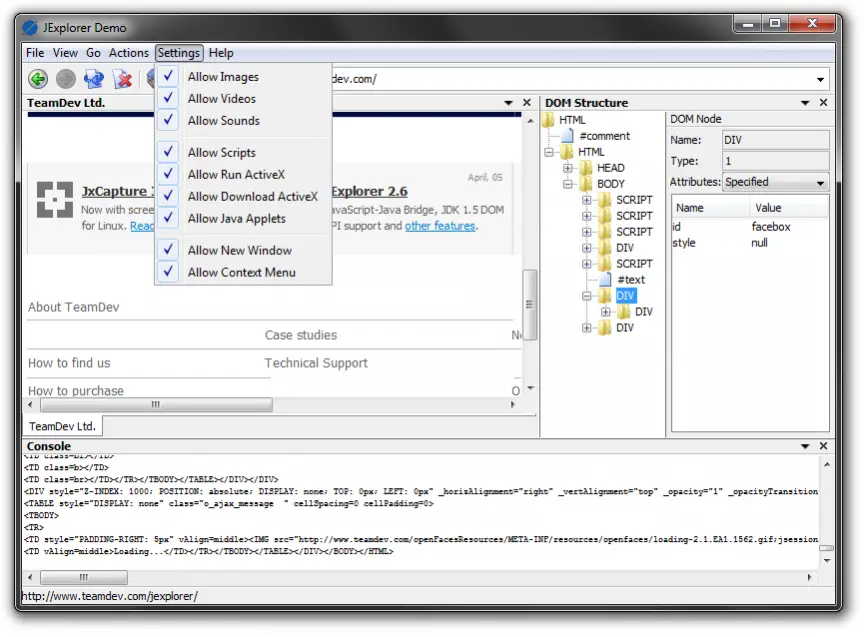
JExplorer demo showing how to embed the MS Internet Explorer web view component to display web pages, access the DOM, and execute JavaScript code.
At a time when the internet was becoming more and more popular, this kind of library attracted more and more interest from developers and was used in many applications. It was our first successful attempt to use web technologies in desktop applications. Today, such applications are usually called hybrid apps.
JExplorer supported only Windows. Clients asked us to make the same library, but for Windows, macOS, and Linux. As a result, we released the JxBrowser library, where we added integration not only with MS Internet Explorer (Windows), but also with Mozilla Firefox (Windows, macOS, and Linux), as well as Safari WebKit (macOS).
When Mozilla Firefox stopped supporting the development of XULRunner, which made it possible to embed Mozilla WebView into third-party applications, we switched to integration with Chromium, which at that time was only beginning to gain popularity. That was in 2007. Over time, Microsoft stopped developing MS Internet Explorer, and at some point we stopped supporting several browser engines and focused on supporting only Chromium across different platforms.
Today, JxBrowser is used in thousands of companies around the world, including car manufacturers, home appliance manufacturers, mobile operators, banks, insurance companies, and more.
Demand from .NET developers led us to release DotNetBrowser. The same library, but for .NET desktop applications.
Why we decided to create a desktop app framework
While helping our customers integrate a web browser into their Java and .NET desktop applications, we saw how combining web technologies and operating system capabilities in a single desktop application makes it possible to build desktop applications with completely new capabilities.
Over time, however, Java became more widely used for backend development in web applications, and Sun, and later Oracle, paid less and less attention to desktop support. Now, in 2026, if you want to build a modern desktop application, Java would be far from the first technology on your list. Unless, of course, you use no other technologies besides Java, love only Java, or are forced to use it for some other reason.
.NET is, of course, more friendly for desktop development in this respect. But only if you are building an application for Windows. If we are talking about a cross-platform application, you will most likely look at other solutions such as Electron, Tauri, MōBrowser, or Qt.
Building a modern desktop application, however, is not just about windows and dialogs. It is also about building for different platforms, integrating with operating system capabilities, packaging into executable files, creating native installers, signing and notarizing binaries, checking for new versions, and automatically updating the application.
As developers, we like building software to solve different problems. Inside the company, we build desktop applications for internal needs. We love desktop. We know how web browsers work and how to integrate with them. We see how long, expensive, and inconvenient it is to build modern cross-platform desktop applications with Java, .NET, and C++. And, from the example of Electron and Tauri, we see how using web technologies makes it possible to build modern and beautiful desktop applications quickly.
What is wrong with Electron and Tauri
So what is the problem, you may ask. Just take Electron or Tauri and build desktop applications. Why create Electron and Tauri alternative?
We did exactly that. As developers who have been integrating with web browsers for many years and know all the hidden pitfalls of this process, we studied how Electron and Tauri work internally. And, let us put it this way, we found quite a few places where improvements could be made and a number of things that we were completely unhappy with.
Electron
Electron was revolutionary in its time. The core idea of Electron is that a web developer can now build a desktop application that runs on Windows, macOS, and Linux entirely in JavaScript, without having to learn other programming languages such as Rust, C++, C, Objective-C, Swift, or Dart. The output is a native executable file that can be distributed to end users.
Because Electron uses only Chromium under the hood, the application is guaranteed to behave and look the same across all platforms. This significantly reduces development and testing costs. I even came across a comment like this on Reddit once:
Either you build a desktop application with Electron and release it in a couple of months, or you write the same application with native technologies and never release it at all.
Electron became a de facto standard for building cross-platform desktop applications. A huge number of desktop applications were written with Electron. Some people simply “wrapped” a website into a desktop application (please do not do that), creating a so-called desktop client. Some built the user interface with a frontend framework and shipped everything together with the application so it could work fully offline.
If you open Task Manager on your computer (especially on Windows), you will most likely see applications there that were written with Electron: Slack, Discord, VS Code, Cursor, and many others.
Despite all that, Electron has a number of drawbacks, that force developers to look for better alternatives. In addition to the large application size and high memory consumption, Electron is not always suitable for commercial development because the application source code is written in JavaScript and shipped as is. This makes it possible to read it, analyze it, and even try to affect how the application works by modifying it. Of course, it can be obfuscated, but that only makes the task harder — it does not eliminate the possibility of modification and data extraction.
Electron also does not handle support for the modern web stack particularly well. For example, if you want to use Vite with HMR, TailwindCSS, React, and Shadcn, you have to configure the project by hand, write all the dependencies and config files yourself, and try to make it all work, which can sometimes take several days.
In Electron, the frontend and backend run in separate Chromium processes: renderer and main. IPC (inter-process communication) is used for communication between them. And this is where the problems begin.
The most problematic part of working with IPC in Electron is the lack of a type-safe and transparent API between processes. The developer has to manually synchronize the contracts between main and renderer: channel names are strings, arguments are passed as arbitrary objects, and return values have no strict schema.
As a result, it is easy to get runtime errors, such as a mismatch in data format or channel name, that are not detected at compile time. As the application grows, this turns into a chaotic set of ipcMain.handle / ipcRenderer.invoke calls without a centralized API description, which makes maintenance, refactoring, and understanding which methods are actually available between processes much harder.
Tauri
Tauri is one of the most popular Electron alternatives. It’s newer than Electron and has been quite popular lately. Its idea of Tauri is not to include a full web browser inside the application and not to ship it together with the application binaries. Instead, Tauri uses the WebView component provided by the operating system itself. On macOS, that is WKWebView (WebKit). On Windows, that is WebView2 (Chromium). On Linux, there is nothing similar, so WebKitGTK (the GTK port of WebKit) is used.
This really reduces the application size, at least on macOS. On Linux, WebKitGTK still always has to be shipped, which still increases the app size.
Been there, done that… We went through this path in JxBrowser.
The price the developer pays for this is that the user interface can look and behave differently on different platforms. When building a cross-platform application, this requires additional effort during testing and adaptation of application behavior for different platforms. That increases development cost.
Moreover, writing backend logic requires a Rust developer, and frontend work requires a JavaScript developer. Why hire one more Rust developer if both the backend and the frontend can be written by one JavaScript developer, as it is done in Electron?
What are the advantages of MōBrowser
We wanted to create a framework that would be a better Electron and Tauri alternative, especially for commercial development.
Wwe followed a simple recipe:
- Take the best from Electron and Tauri.
- Use our experience integrating with Chromium.
- Fix and improve Electron’s IPC.
- Add more tools and solutions that help web developers build modern cross-platform desktop applications.
- Backed all of that with reactive technical support, so developers do not have to slow down their own work and can ship on time.
We pursued several goals while developing the framework:
- Eliminate the need to learn additional programming languages, ensuring that building applications with MōBrowser requires knowledge of only TypeScript.
- Provide robust support for the Node.js runtime. Why Node.js and not Bun? Bun simply does not fit in our case, because combining two different JavaScript runtimes (V8 and JavaScriptCore) in one application is a bad idea: two garbage collectors, two different ABIs (binary interfaces), and two event loops. The result is more memory usage and no ability to pass JavaScript objects directly.
- Establish a strictly typed and scalable IPC system, using Protocol Buffers with code generation to replace loosely structured string-based communication with a reliable RPC contract. The developer should be able to describe services and methods once in a
.protofile, after which type-safe APIs for bothmainandrenderersides are generated automatically. This provides type checking at compile time, a single source of truth for contracts, auto-generated client and server interfaces, and safer data serialization. As a result, IPC becomes predictable, scales more easily as the application grows, and avoids the typical errors of the Electron approach: string channels, inconsistent data formats, and the lack of a clear API structure between processes. - Ensure consistent behavior and appearance across macOS, Windows, and Linux, leveraging Chromium for cross-platform uniformity.
- Enable distribution as native executable applications, installed through platform-specific native installers.
- Provide a built-in mechanism for automatic application updates, keeping software up to date with minimal developer effort.
- Allow seamless integration of native capabilities, enabling developers to extend functionality with C++ modules when TypeScript and Node.js are insufficient.
- Protect application source code and resources, using encryption to enhance security.
- Support all modern frontend frameworks and libraries, while enabling rapid project setup through a flexible scaffolding tool with multiple templates.
- Facilitate development with AI coding agents, by including
AGENTS.mdin the project together with instructions and paths to locally available full documentation with many examples. This allows AI coding agents to quickly find all the necessary and up-to-date documentation so they can help write correct and working code.
How well we managed to achieve this is, of course, for you to judge. I can only recommend that you simply try the framework in action. The framework is completely free for personal use and paid for commercial use.
How to try it out
To get started with MōBrowser and create your first desktop application in a few minutes, just run this command:
npm create mobrowser-app@latest
The following short video shows how to create a project, install dependencies, build and run the app, and package it into a native executable for distribution.
If something is unclear or does not work as expected, you can always count on us. Just let us know, and we will promptly fix and improve it.