
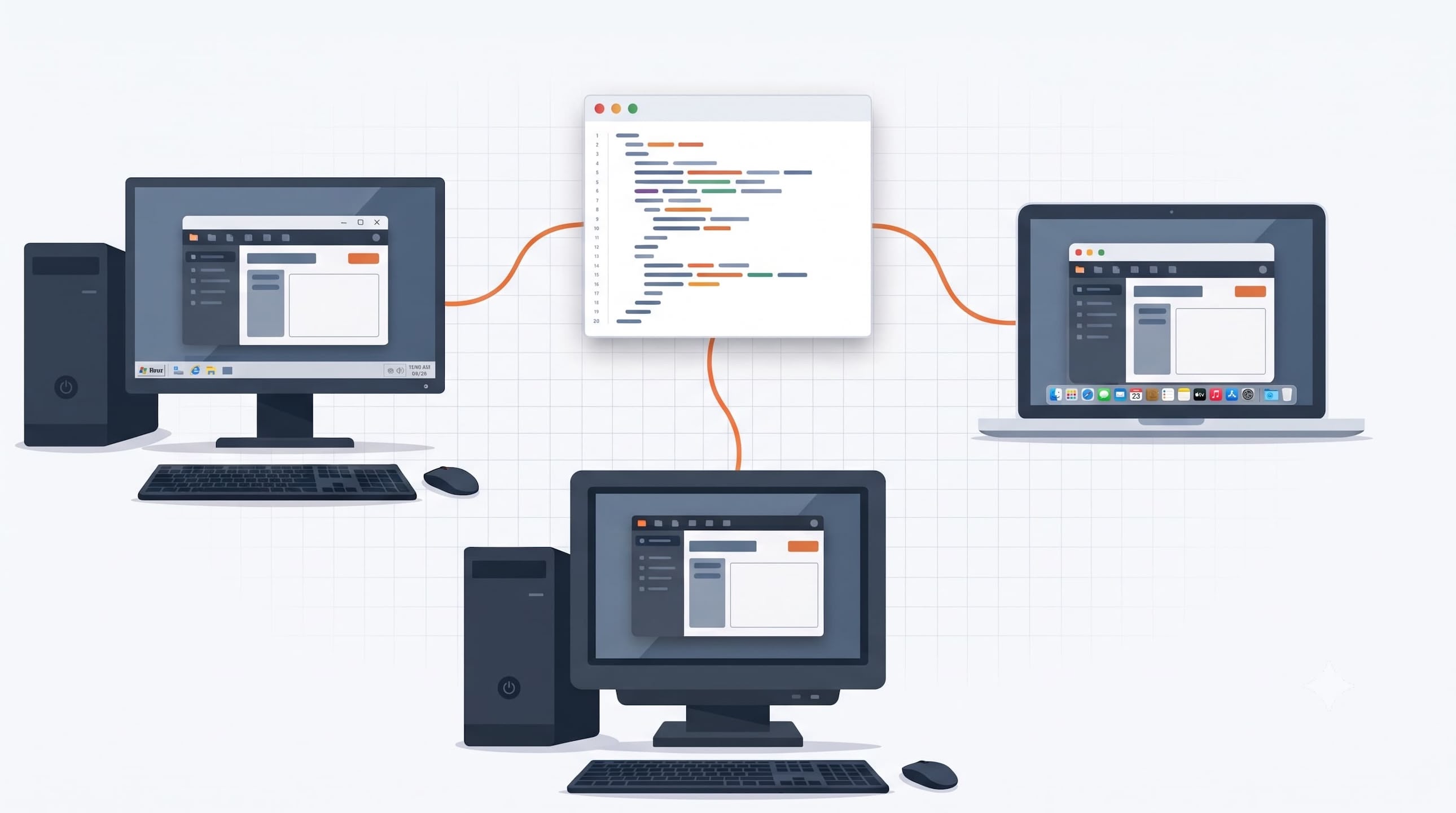
Building a desktop app for Windows, macOS, and Linux from a single codebase is no longer the hard part. In 2026, several mature frameworks do it well, and they take surprisingly different routes. Some ship a full browser with your app. Some borrow the webview that comes with the operating system. Some draw every pixel themselves, and some run on a virtual machine.
That choice shapes almost everything downstream: how much memory your app uses, how large the installer is, which languages your team writes every day, and how easy it is to hire the next engineer for the project.
In this article, we look at seven actively developed frameworks for building cross-platform desktop apps in 2026: Electron, MōBrowser, Tauri, Qt, Flutter, Avalonia, and JavaFX. This is a list, not a ranking. Each entry explains what the framework is good at, what it costs you, and when it is a practical choice.
Framework requirements
Every framework here clears the same bar: you write one codebase, and it runs as a real desktop app on Windows, macOS, and Linux. All seven are actively developed in 2026, and all of them have production applications behind them, not just demos.
To keep the entries easy to scan, each one covers the same ground:
- How long the framework has been around, and where it came from.
- The stack: languages, UI approach, and the runtime it depends on.
- Desktop essentials: installers, auto-updates, tray icons, notifications, native dialogs, window customization, menus, global shortcuts, dark and light mode, multi-monitor scaling, and accessibility.
- Performance and memory character.
- How easy it is to hire engineers who already know the stack.
- How well AI coding agents build with it. In 2026, this mostly comes down to how much documentation and example code exists for agents to learn from.
- When it is the right choice.
Let’s start with the framework that made web-based desktop apps mainstream.
Electron
- Website: https://electronjs.org/
Electron appeared at GitHub in 2013 under the name Atom Shell. It was built to power the Atom code editor and outlived it: Atom was retired in 2022, while Electron became the default way to bring web apps to the desktop. Since 2019, the project has been governed by the OpenJS Foundation, and it ships a major release every eight weeks, tracking every other Chromium version.
The stack is the web stack. You write JavaScript or TypeScript, HTML, and CSS with any front-end framework, and Node.js runs in the main process with full access to the operating system. Every app bundles its own copy of Chromium, which is both the main selling point and the main cost. Your app renders identically on every machine and never depends on whatever browser the user has installed. In exchange, even a hello-world app ships a full browser engine, so installers weigh tens of megabytes before your code arrives, and a few hundred megabytes of RAM is the usual baseline.
For desktop essentials, Electron is the most complete framework on this list:
- Native dialogs, menus, tray icons, notifications, and global shortcuts are built-in APIs.
- Dark and light mode, multi-monitor setups with different scaling, and accessibility come from Chromium and work out of the box.
- Window customization goes as far as fully frameless and transparent windows.
- Installers and auto-updates come from the official tooling: Electron Forge builds packages for all three platforms, and the built-in updater covers Windows and macOS, while Linux apps usually update through package managers.
Hiring is the easiest on this list. Electron uses the largest developer pool in the industry, and any web engineer can become productive in weeks. The same applies to AI coding agents: after more than a decade of docs, open-source apps, and Stack Overflow answers, agents scaffold and debug Electron apps reliably.
Choose Electron when you want the most mature ecosystem and predictable rendering, and the size of the installer and the memory footprint are acceptable costs. If they are not, the next two frameworks attack exactly that trade-off.
MōBrowser
- Website: https://teamdev.com/mobrowser/
MōBrowser follows the same model as Electron — your app ships with its own Chromium-based runtime and Node.js — but it arrives as a single integrated product rather than a framework plus an ecosystem of tools. It is developed by TeamDev, a company that has been building browser components for desktop apps since the 2000s, and it is a commercial framework with client support behind it.
The project started in November 2023 under the name Molybden, aimed at C++ teams that wanted web UIs in their desktop apps. MōBrowser 2.0.0, released in March 2026, turned that idea around: you now write both the UI and the application logic in TypeScript, Node.js runs in the main process, and an optional native module can be written in C++ or Rust for performance-critical code. The scaffolding tool generates a project with React, Vue, or plain HTML and CSS, and can wire in a UI component library such as Ant Design or Material UI from the start.
The desktop essentials come built in, without third-party tooling:
npm run packproduces native installers for Windows and macOS, andnpm run buildproduces a native executable on all three platforms.- Auto-updates are part of the framework, with delta packages and an HTTPS-only update feed.
- Windows, menus, tray, dock, notifications, native dialogs, global
shortcuts, dark and light mode, and multi-monitor APIs are covered by
guides and a TypeScript API under
@mobrowser/api. - App integrity verifies
app.binbefore loading any application sources. A signed app on macOS or Windows refuses to start ifapp.binhas been modified after signing.
Because the runtime model matches Electron’s, so does the resource character: a bundled browser engine, several processes, and a comparable memory baseline. The hiring story matches, too: any web engineer already knows the stack.
Where MōBrowser differs most in 2026 is how deliberately it targets AI
coding agents. Every generated project includes AGENTS.md and
CLAUDE.md instruction files, and the framework ships an automation
server and CLI that let an agent inspect the running app through
accessibility snapshots, click and type into it, and capture screenshots
to verify its own work.
Choose MōBrowser when a web team is building a commercial desktop product and wants installers, updates, app integrity checks, and an AI-agent workflow built into the framework. If you would rather not bundle a browser engine at all, the next framework takes the opposite approach.
Tauri
- Website: https://tauri.app/
Tauri started in 2019 as an answer to a simple observation: every desktop (except Linux) already has a browser engine, so why ship another one? Instead of bundling Chromium, a Tauri app renders its UI in the webview the operating system provides: WebView2 on Windows, WKWebView on macOS, and WebKitGTK on Linux. The project is governed by a Dutch nonprofit, the Commons Conservancy, and with over 100,000 GitHub stars it is one of the most popular Rust projects in existence. Version 2.0, released in 2024, extended the same model to iOS and Android.
The stack is split in two. The frontend is anything that compiles to HTML, CSS, and JavaScript. The backend is Rust: application logic lives in Rust functions that the frontend calls through IPC. You can start with minimal Rust knowledge, but a real product eventually needs someone who writes in Rust.
The payoff of the system-webview model is footprint. Installers weigh a few megabytes instead of tens, and memory usage stays well below a bundled-Chromium app. The cost is that your UI runs on three different browser engines, one per platform, so rendering quirks — especially in WebKitGTK on Linux — are yours to find and work around, and the engine version depends on how up to date the user’s system is.
For desktop essentials, Tauri covers the checklist through official plugins rather than a monolithic API:
- The bundler produces installers for all three platforms: MSI and NSIS for Windows, DMG for macOS, and deb, rpm, and AppImage for Linux.
- The updater plugin handles auto-updates with cryptographically signed packages.
- Tray icons, notifications, native dialogs, menus, global shortcuts, and dark and light mode detection each come as official plugins.
- Window customization, multi-monitor handling, and scaling come from the native window layer, while accessibility depends on the platform webview.
Hiring is a mixed picture: frontend developers are as easy to find as for Electron, while Rust engineers are a smaller, though steadily growing, pool. AI coding agents handle Tauri well for common tasks — the docs are thorough and examples are plentiful — but the 2.0 release moved many APIs into plugins, and agents trained on older material sometimes produce v1-style code that no longer compiles.
Choose Tauri when installer size and memory footprint matter, when you want a memory-safe compiled backend, and when your team can absorb some Rust and platform-specific webview testing. The first three frameworks on this list all paint the UI with a browser engine. The next one predates that whole idea — and still outlives most attempts to replace it.
Qt
- Website: https://www.qt.io/
Qt is the oldest framework on this list by a wide margin. Two Norwegian developers started it in 1991 and shipped the first release in 1995 — the “Q” reportedly made the cut because the letter looked good in the Emacs font one of them used. Thirty years, three owners, and one KDE desktop environment later, Qt is at version 6.11 and runs everywhere from Linux desktops to car dashboards and medical devices.
The core language is C++, with official Python bindings under the Qt for Python project. There are two UI approaches: Qt Widgets, the classic API for dense desktop interfaces, and Qt Quick, a declarative GPU-accelerated UI language called QML for more custom, animated interfaces. In both cases Qt draws the UI itself and compiles your app to native code — no browser engine, no virtual machine, and the lowest idle memory usage among the frameworks covered so far.
The desktop checklist is mostly covered in the core libraries:
- Native dialogs, menus, tray icons with notification support, and clipboard integration are core APIs.
- Accessibility has its own mature layer that talks to screen readers on all three platforms.
- High-DPI scaling across mixed-monitor setups is automatic in Qt 6, and dark and light mode detection is built in since Qt 6.5.
- Installers come from the separate Qt Installer Framework, which can also check for and download updates — a working setup, though less push-button than Electron’s or MōBrowser’s.
- Global shortcuts are the notable gap: system-wide hotkeys require platform-specific code or community libraries.
Licensing deserves a paragraph of its own, because it surprises teams. Qt is dual-licensed: free under LGPLv3 or GPLv3 (with some modules GPL-only), or commercial. LGPL compliance is workable for most desktop apps but needs a deliberate legal read, and long-term support releases are available to commercial customers only.
Hiring depends on your domain. C++ developers are plentiful, and Qt specialists are concentrated in embedded, industrial, and scientific software — if that is your field, the talent is there. AI coding agents benefit from three decades of documentation, books, and forum answers; they produce working Widgets and QML code reliably, and the friction tends to be in build-system setup rather than the APIs.
Choose Qt when performance, memory, and longevity outweigh development speed, when your product spans desktop and embedded hardware, or when a C++ team already owns the codebase. Qt proved that drawing your own UI can last thirty years. The next framework makes the same bet with a much younger stack.
Flutter
- Website: https://flutter.dev/
Flutter came out of Google in 2018 as a mobile framework, and the desktop arrived later: Windows support became stable in early 2022, macOS and Linux a few months after. Like Qt, Flutter draws every pixel itself — originally with the Skia graphics library, and increasingly with its newer Impeller renderer, which became the default on Windows in June 2026. Desktop is no longer a side quest: in a 2026 survey of Flutter developers by LeanCode, roughly a quarter said they target macOS or Windows.
You write Flutter apps in Dart, a language that compiles ahead of time to native code, and you build the UI from Flutter’s own widget tree rather than platform controls. One codebase covers Windows, macOS, and Linux — and the same code also runs on iOS, Android, and the web, which is the widest reach of any framework on this list. The flip side is that a Flutter app looks like a Flutter app: pixel-identical everywhere, native-feeling nowhere, unless you invest in styling per platform.
The desktop essentials are where the mobile heritage shows:
flutter buildproduces a native executable, but installers, DMGs, and Linux packages are your job, assembled from community tooling such as the MSIX plugin for Windows.- Auto-updates have no official solution; teams wire in third-party updaters or distribute through app stores.
- Tray icons, global shortcuts, window customization, and desktop notifications live in community packages of varying maintenance levels rather than in the framework.
- Accessibility, dark and light mode, and high-DPI scaling, on the other hand, are first-class: Flutter’s semantics layer talks to screen readers on all three platforms.
Hiring is easier than the desktop niche would suggest, because the mobile side supplies a large pool of Dart developers. AI coding agents write Flutter UIs fluently — widget code dominates the training data — but desktop-specific tasks lean on those community packages, where examples are thinner and agents more often improvise.
Choose Flutter when desktop is one target among several and a single branded UI across mobile, web, and desktop is a feature rather than a bug. If your product is desktop-first and you want the platform to feel closer to home for a .NET team, the next framework was built exactly for that.
Avalonia
- Website: https://avaloniaui.net/
Avalonia began in 2013 as a community project called Perspex — the rename came later — with a clear mission: give .NET developers the WPF programming model on every platform, not just Windows. It took a decade to mature, reaching version 11 in 2023, and in 2026 it moves quickly: version 12.1, released in July 2026, added a native Wayland backend for Linux. The framework is MIT-licensed, with a commercial company behind it that sells support and tooling on top.
If you know WPF, you already know most of Avalonia: XAML for layout, C# for logic, MVVM for structure, with data binding and styling that follow familiar patterns. Like Qt and Flutter, Avalonia draws its own UI — it renders with Skia, so your interface looks the same on Windows, macOS, and Linux. The app runs on the .NET runtime, which you bundle via self-contained deployment; there is no separate install step for users, at the price of a larger package than a plain native binary.
The desktop essentials are a mix of built-in and bring-your-own:
- Tray icons, native menus on macOS, system dialogs, clipboard, and drag and drop are part of the framework.
- Dark and light theme variants and per-monitor DPI scaling are built in, and the accessibility layer connects to platform screen readers.
- Installers and auto-updates are left to the .NET ecosystem: teams typically pair Avalonia with tools like Velopack, and it works, but it is assembly rather than a turnkey feature.
- Global shortcuts and OS-level notifications also rely on community packages.
Hiring draws on the large C# pool, and WPF veterans transfer their skills almost directly — that is the framework’s core audience. For AI coding agents the same similarity cuts both ways: agents lean on years of WPF training data and produce plausible Avalonia code, but they sometimes mix WPF-specific XAML into it, so builds need checking.
If your Avalonia app needs to display web content through an embedded browser on top of Chromium, consider our DotNetBrowser library. It embeds a Chromium-based browser view into cross-platform Avalonia apps and comes with a project template to start from.
Choose Avalonia when a .NET team wants one desktop codebase without leaving C# and XAML, especially when an existing WPF product needs a path to macOS and Linux. The last framework on the list tells the same story — for the Java world.
JavaFX
- Website: https://openjfx.io/
JavaFX had one of the strangest starts in this list. Sun announced it in 2007 with its own scripting language, JavaFX Script, which was abandoned four years later when JavaFX 2.0 rewrote everything as a plain Java API. The framework shipped inside Oracle’s JDK for years, was split out into the standalone OpenJFX project in 2018, and has been developed in the open ever since — today with the company Gluon as its steward, on the same six-month release cadence as the JDK. JavaFX 26 arrived in March 2026, with long-term support streams maintained in parallel.
The stack is the JVM. You write Java, Kotlin, or any other JVM
language, define UIs in code or in FXML with the Scene Builder visual
tool, and style them with CSS. Rendering is hardware-accelerated and
identical across platforms — JavaFX draws its own controls, like Qt,
Flutter, and Avalonia. The JVM requirement sounds heavier than it is
in 2026: jlink trims the runtime to what your app uses, and
jpackage, part of the JDK, builds native installers — MSI and EXE
for Windows, DMG and PKG for macOS, DEB and RPM for Linux.
The essentials split much like Avalonia’s:
- Installers via
jpackage, accessibility with screen-reader support, high-DPI scaling, and an embeddable WebKit-based WebView are all in the box. - Auto-updates, tray icons, OS notifications, dark mode detection, and global shortcuts all come from third-party libraries — functional, but scattered across an ecosystem of small projects.
The built-in WebView deserves a caveat, though. It runs WebKit inside your Java process, so a heavy web page consumes your application’s memory, and an engine error can crash the whole JVM. Its web standards support also trails modern browsers — WebGL, for one, is missing. If your JavaFX app needs to display more than simple web pages, consider our JxBrowser library: it runs a full Chromium in a separate native process, isolated from your JVM, and provides browser views for JavaFX, Swing, SWT, and Compose Desktop. We compared the two in detail in a separate article.
Memory sits between the compiled frameworks and the browser-based ones: the JVM adds overhead, but nothing close to a bundled Chromium. Hiring needs a realistic plan: the Java pool is one of the largest in the industry, but most Java developers work on server-side code and have never touched JavaFX, so finding engineers with real JavaFX experience is hard. Expect to hire good Java developers and budget time for them to learn the framework. AI coding agents work from nearly two decades of accumulated tutorials and answers, and produce working JavaFX code with little friction — just watch for dated patterns from the pre-2018, bundled-JDK era.
Choose JavaFX when a Java team is building an internal tool or a technical desktop product and wants to stay entirely inside the JVM ecosystem, with installers coming straight from the JDK tooling.
FAQ
Before the summary, here are short answers to the questions that come up most often when developers pick from this list.
Is Electron still worth using in 2026?
Yes. Electron remains actively developed under the OpenJS Foundation, with a major release every eight weeks, and no other framework matches its ecosystem of tooling, examples, and available engineers. Its weak spot is local-first apps with a UI built on modern tools such as Vite, React, Tailwind CSS, and shadcn/ui: you end up writing a fair amount of boilerplate to properly pack the frontend and display it in the app. In a more modern framework like MōBrowser, this setup works out of the box — you pick the frontend framework and UI library when scaffolding the project.
Can I build a desktop app with web technologies without bundling a browser?
Yes — that is Tauri’s model. It renders your UI in the webview the operating system already provides, which keeps installers at a few megabytes. The trade-off is testing against three different browser engines and accepting whatever engine version the user’s system has.
Which framework has the smallest memory footprint?
Among these seven, the frameworks that compile to native code and draw their own UI — Qt above all — use the least memory at idle. Tauri stays low by borrowing the system webview. Electron and MōBrowser carry a bundled Chromium runtime, and JavaFX sits in between with the JVM.
Which framework should a web team pick?
Electron, MōBrowser, or Tauri, since all three build the UI with the web stack your team already writes. Electron offers the largest ecosystem. MōBrowser is an all-in-one solution rather than a bare framework: everything a modern desktop app needs, from installers and auto-updates to app integrity checks, comes out of the box. Tauri minimizes the footprint if the team can take on Rust.
Which framework do AI coding agents handle best?
Electron leads on sheer training data: agents have seen more Electron
code than any other desktop framework. MōBrowser takes a different
route and builds for agents directly, generating AGENTS.md files in
every project and shipping an automation server that lets an agent
drive and inspect the running app. For the others, agents perform
well on core APIs and stumble more often in the community-package
territory.
Summary
Here is the whole list condensed into one table:
| Framework | Languages | Runtime | UI rendering | Best fit |
|---|---|---|---|---|
| Electron | JavaScript, TypeScript | Bundled Chromium + Node.js | Web UI | Web teams, richest ecosystem |
| MōBrowser | TypeScript, optional C++ or Rust | Bundled Chromium + Node.js | Web UI | Commercial products, AI-agent workflows |
| Tauri | JavaScript + Rust | System webview + Rust binary | Web UI | Small-footprint apps, security focus |
| Qt | C++, Python | Native code | Own renderer | Performance-critical, desktop + embedded |
| Flutter | Dart | Native code (AOT) | Own renderer | One codebase for mobile, web, desktop |
| Avalonia | C# | .NET runtime (bundled) | Own renderer (Skia) | .NET teams, WPF migration |
| JavaFX | Java, Kotlin | JVM (bundled via jlink) | Own renderer | Java teams, internal and technical tools |
The table hides the nuance, of course. Two frameworks with the same “own renderer” label differ wildly in ecosystem, tooling, and hiring — which is what the recommendations below are for.
Recommendations
There is no universal winner on this list, so my advice starts with the team you have and the product you are shipping:
- A web team building a commercial desktop product. Take MōBrowser if you want an all-in-one solution where everything a modern desktop app needs — installers, auto-updates, app integrity checks, and an AI-agent workflow — works on day one. Take Electron if you would rather assemble your own tooling and lean on the largest ecosystem in desktop development.
- A web team shipping a small utility. Tauri. The megabyte-sized installers and low memory footprint are worth the platform-specific webview testing, and the Rust backend can start minimal.
- A C++ team, or a product that spans desktop and embedded. Qt. Thirty years of production use, the lowest resource footprint here, and an accessibility and internationalization story that has been tested in regulated industries. Read the licensing terms before you commit.
- A mobile-first product adding desktop. Flutter. One Dart codebase covers all six platforms, and the custom-branded UI that desktop purists complain about is exactly what design-driven products want.
- A .NET shop, or a WPF app that must leave Windows. Avalonia. Your XAML and MVVM experience transfers almost directly, and the framework is moving fast in 2026.
- A Java team building internal or technical tools. JavaFX. The JVM you already run, installers from the JDK’s own tooling, and two decades of accumulated knowledge.
If several rows apply, weigh the runtime question first: bundling Chromium buys rendering consistency at a cost in size and memory, the system webview buys footprint at a cost in testing, and drawing your own UI buys uniformity at a cost of platform look and feel. That one decision narrows the list faster than any feature checklist.
Whichever framework you pick, the cheapest way to validate the choice is to build something real with it. Getting started is not equally easy everywhere: with some frameworks on this list, turning an empty project into an app you can actually ship to end users takes real time and effort. Most of the modern ones, though, get you to a running app with a single command, the way MōBrowser does:
npm create mobrowser-app@latest
Pick two candidates and ship the same small prototype with both. You can do it yourself or hand the job to an AI coding agent: it turns the prototype around in hours instead of days, and you find out first-hand how well agents build with each framework — a data point worth having before you commit to years of maintenance. After that, the right answer for your team is usually obvious.